

Parts List
This page lists every part needed for a complete PolyKybd Split72 build.
Required parts
Section titled “Required parts”| Part | Quantity | Notes |
|---|---|---|
| Left PCB (assembled, 4-layer, 1.6mm) | 1 | See PCB ordering |
| Right PCB (assembled, 4-layer, 1.6mm) | 1 | See PCB ordering |
Mechanical
Section titled “Mechanical”| Part | Quantity | Notes |
|---|---|---|
| Left aluminum plate (1.2mm) | 1 | Order as 1.2mm aluminium PCB |
| Right aluminum plate (1.2mm) | 1 | Order as 1.2mm aluminium PCB |
| Left 3D-printed case | 1 | STL: parts/export/case/case_polykybd_split72_left_r7.stl (latest revision) |
| Right 3D-printed case | 1 | STL: parts/export/case/case_polykybd_split72_right_r7.stl (latest revision) |
| Spacer | 2 | STL: parts/export/case/spacer.stl |
| M3×10 hex screws (rounded head) | 8 | — |
| M3 hex nuts | 8 | Required for case revision r4+ |
Switches & keycaps
Section titled “Switches & keycaps”| Part | Quantity | Notes |
|---|---|---|
| MX-compatible key switches | 72 | See Compatible Switches |
| 3D-printed key stems (1U) | 58 | SLA print recommended; see Keycap Stems |
| 3D-printed key stems (1.25U) | 14 | SLA print recommended; see Keycap Stems |
| Transparent relegendable keycap covers (1U) | 58 | e.g. AliExpress relegendable keycaps |
| Transparent relegendable keycap covers (1.25U) | 14 | — |
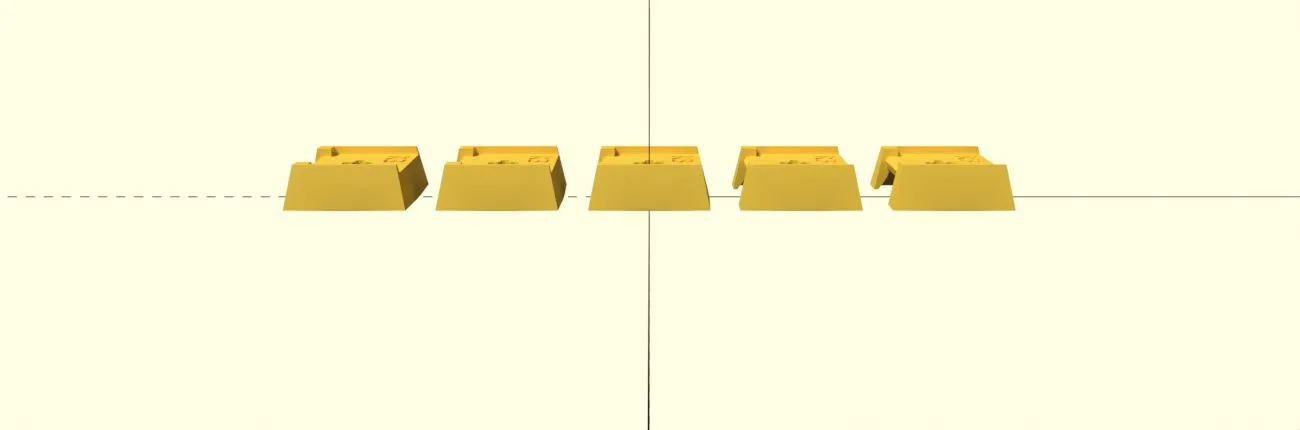
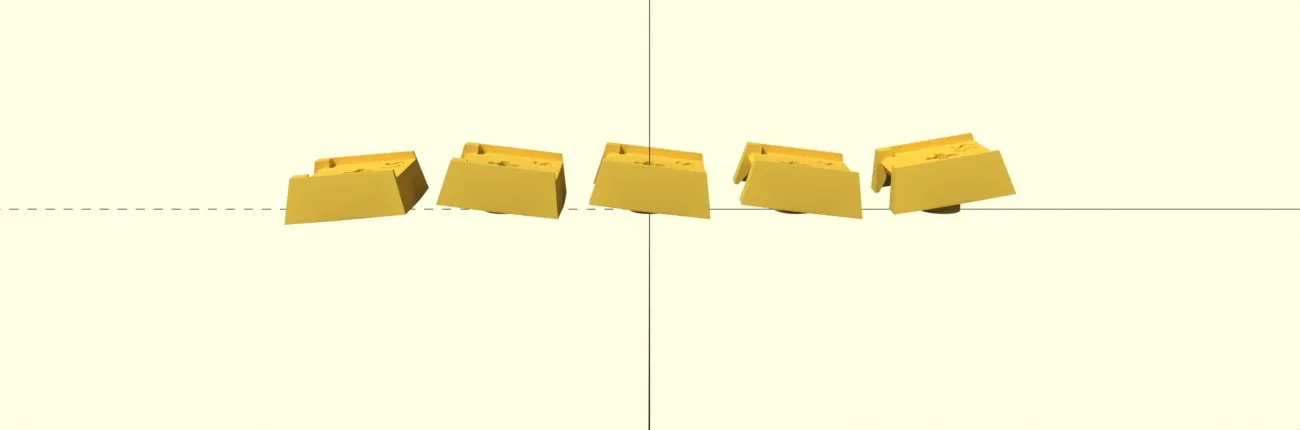
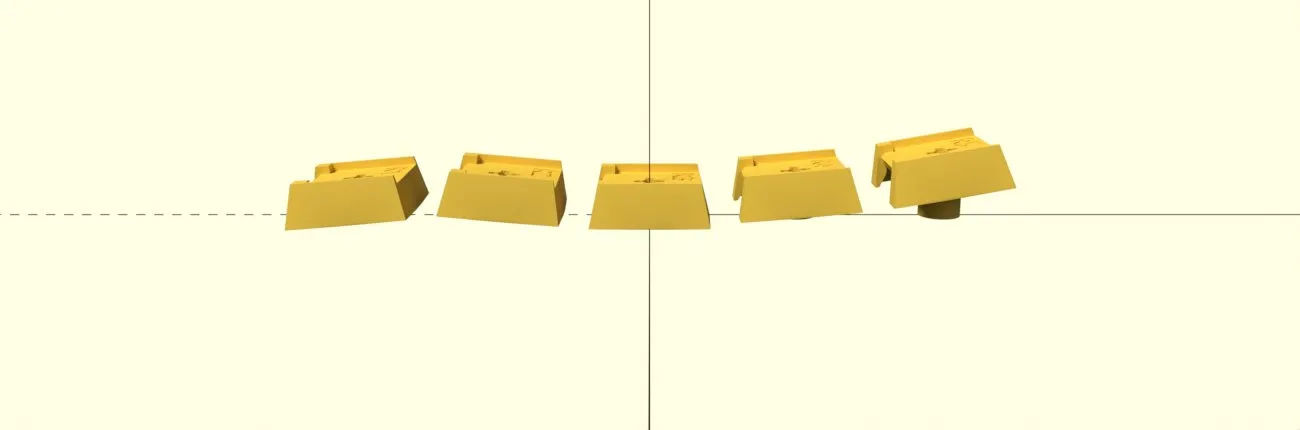
Three stem profiles are available — Flat, Stepped (in a sculpted and a uniform variation) and Curved. They all use the same 72 pieces, so the choice is only about feel. See Keycap Stems for the pictures, the plate filenames and how many of each to print.
Displays
Section titled “Displays”| Part | Quantity | Notes |
|---|---|---|
| 0.42” OLED displays with FPC | 72 | Must be 14-pin; see Displays & FPC Extension |
| 0.96” status displays (FPW096W001Z0) | 2 | Optional; ~40mm FPC cable |
| Status display holder | 2 | STL: parts/export/display_holder/display_holder_r1.stl |
| Dummy display holder (if no status display) | 2 | STL: parts/export/display_holder/display_holder_dummy_r1.stl |
Cables
Section titled “Cables”| Part | Quantity | Notes |
|---|---|---|
| Short USB-C to USB-C cable | 1 | ~50cm, connects the two halves |
| USB-C to USB-A or USB-C cable | 1 | Connects to the host computer |
Optional parts
Section titled “Optional parts”Printed extras
Section titled “Printed extras”Neither is needed for a working keyboard — see Tenting Legs & LED Diffuser:
| Part | Quantity | Notes |
|---|---|---|
| Tenting legs | 8 | One plate does both halves: parts/export/legs/legs_r2_8p.stl |
| LED diffuser frame | 2 | parts/export/diffuser/diffuser_frame_{left,right}.stl — one piece per half, holding all 36 diffusers. Requires spacer_diffuser_frame.stl in place of the plain spacer |
Expansion slot
Section titled “Expansion slot”Rotary encoder
Section titled “Rotary encoder”Either of these fits the PCB footprint:
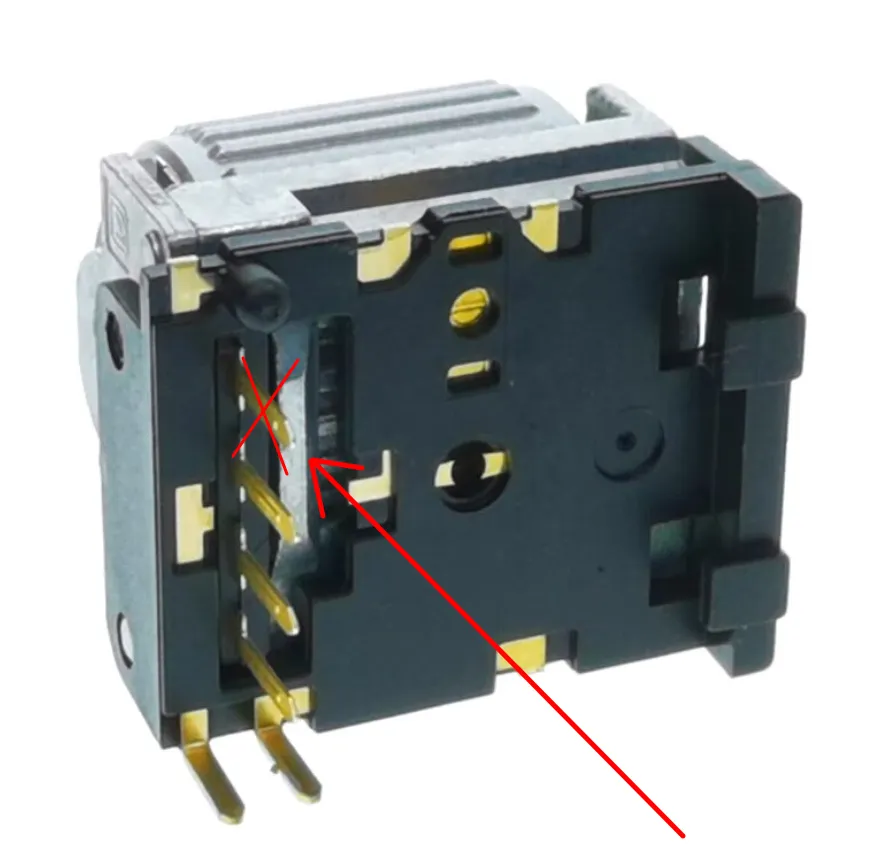
- EVQWGD001 — Note: remove the last pin before soldering. This encoder is no longer in production.
- Alps EC11 encoder
Pointing devices (choose one)
Section titled “Pointing devices (choose one)”| Option | Part | Notes |
|---|---|---|
| Trackball | Pimoroni Trackball | Solder header without the plastic distance holder |
| Trackpad (recommended) | Cirque TM035035-2024-003 (35mm) | Remove R1 on back to switch to I2C; needs 12-pin FPC ~50–70mm, running to J37 on the back of the keyboard PCB |
| Trackpad (smaller) | Cirque TM023023-2024-002 (23mm) | Same wiring; a smaller target for the same gestures |
Either pad needs a 3D-printed holder:
| Pad | Holder | STL |
|---|---|---|
| 35mm | Insert | parts/export/cirque_insert/cirque35_insert_r3_4p.stl |
| 23mm | Slim / low insert | parts/export/cirque_insert/cirque23_slim_insert_r8.stl |
| 23mm | High insert | parts/export/cirque_insert/cirque23_insert_high_r1.stl |
All are in the PolyKybd hardware repo under parts/export/cirque_insert/; the _4p suffix means the mesh is a four-up print plate. The OpenSCAD sources (parts/cirque_insert/cirque35_insert.scad, cirque23_slim_insert.scad, cirque23_insert.scad) are there too if you want to adjust the fit.
Only one pointing device can be installed per half.
Ambient-light + proximity sensor (highly recommended)
Section titled “Ambient-light + proximity sensor (highly recommended)”| Option | Part | Notes |
|---|---|---|
| Light + proximity sensor | Pimoroni LTR-559 breakout | Plus a 5-pin 2.54mm pin header. Solders to the sensor’s own labelled 3-6V / SDA / SCL / INT / GND footprint on the Split72 PCB — a separate connector from the encoder and pointing-device connectors in the same expansion slot. |
With the sensor fitted, the keyboard sets keycap brightness from the measured light level and wakes the displays when your hand approaches — see Display Brightness. It is optional in firmware (the firmware works normally without it) and works on either half. Split72 only — the Split42 has no expansion port.