

PCB & Gerber Files
The PolyKybd uses two 4-layer PCBs (left and right), each 1.6mm thick. The PCBs contain a large number of fine-pitch SMD components including the RP2040 microcontroller and 72 FPC sockets, so ordering pre-assembled PCBs is strongly recommended.
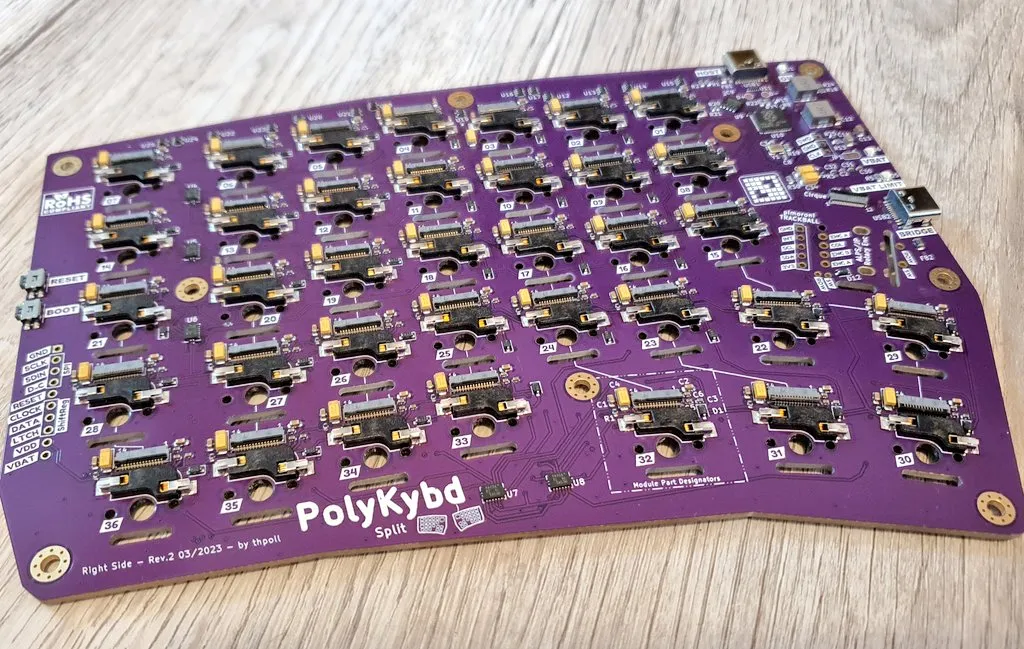
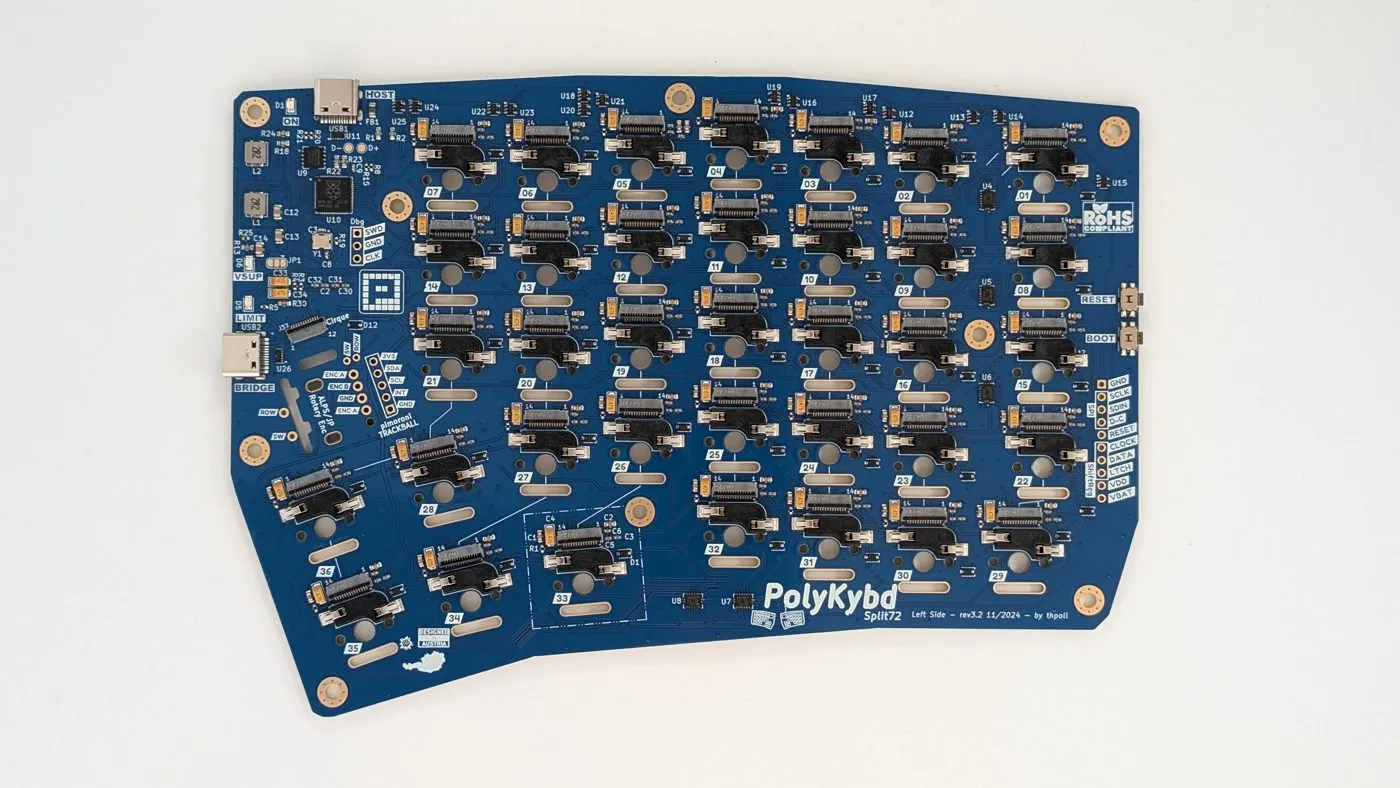
A bare board as it arrives from the fab — this is the rev3.2 left PCB, matching the gerbers below. One side carries the RP2040, the two USB-C connectors and the 72 FPC sockets:
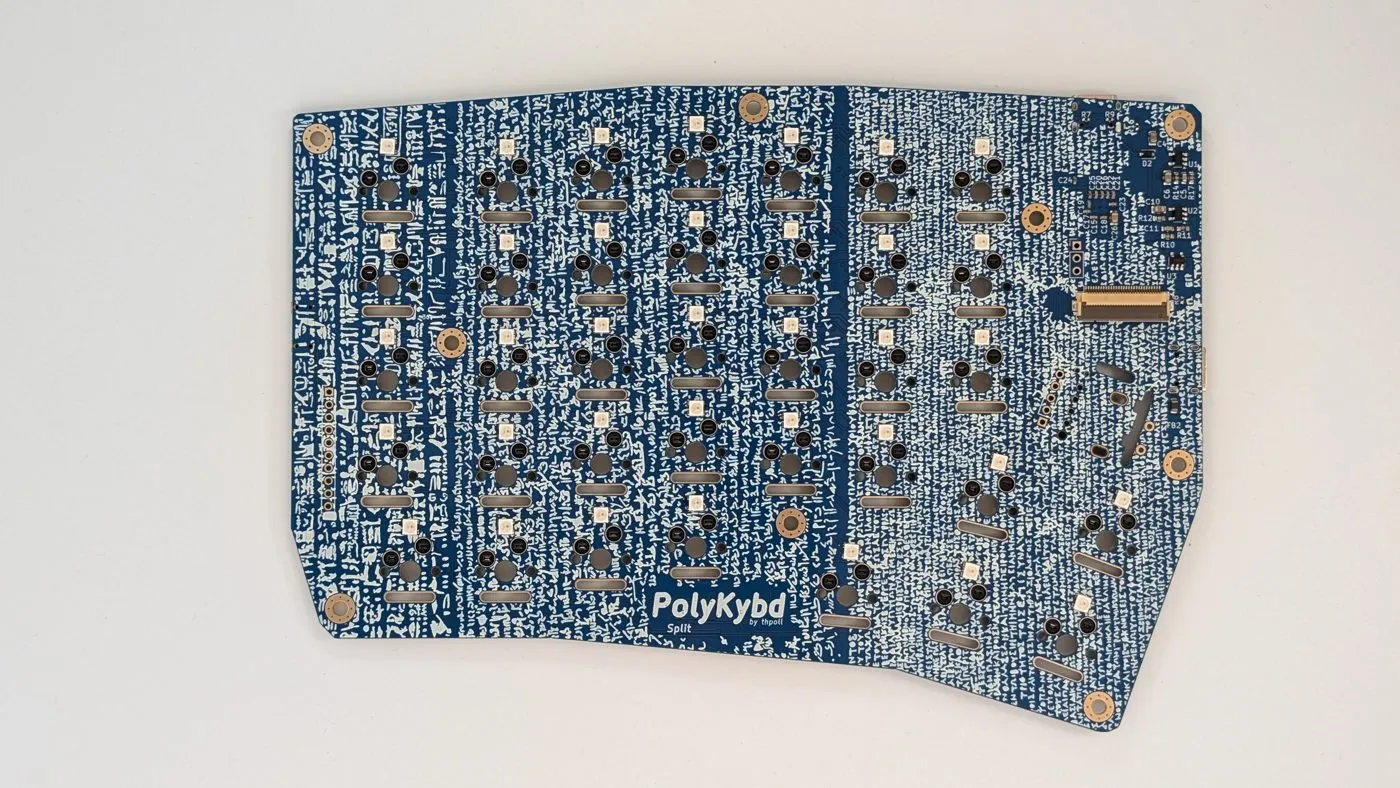
The other side carries the switch footprints and the RGB LEDs:
Gerber files
Section titled “Gerber files”The latest gerber files, BOM, and pick & place files are in the PolyKybd hardware repo:
| File | Description |
|---|---|
poly_kybd/Gerber/PCB/left-side-v3.2/PolyKybd_Split72_L_3.2.zip |
Left PCB gerbers |
poly_kybd/Gerber/PCB/right-side-v3.2/PolyKybd_Split72_R_3.2.zip |
Right PCB gerbers |
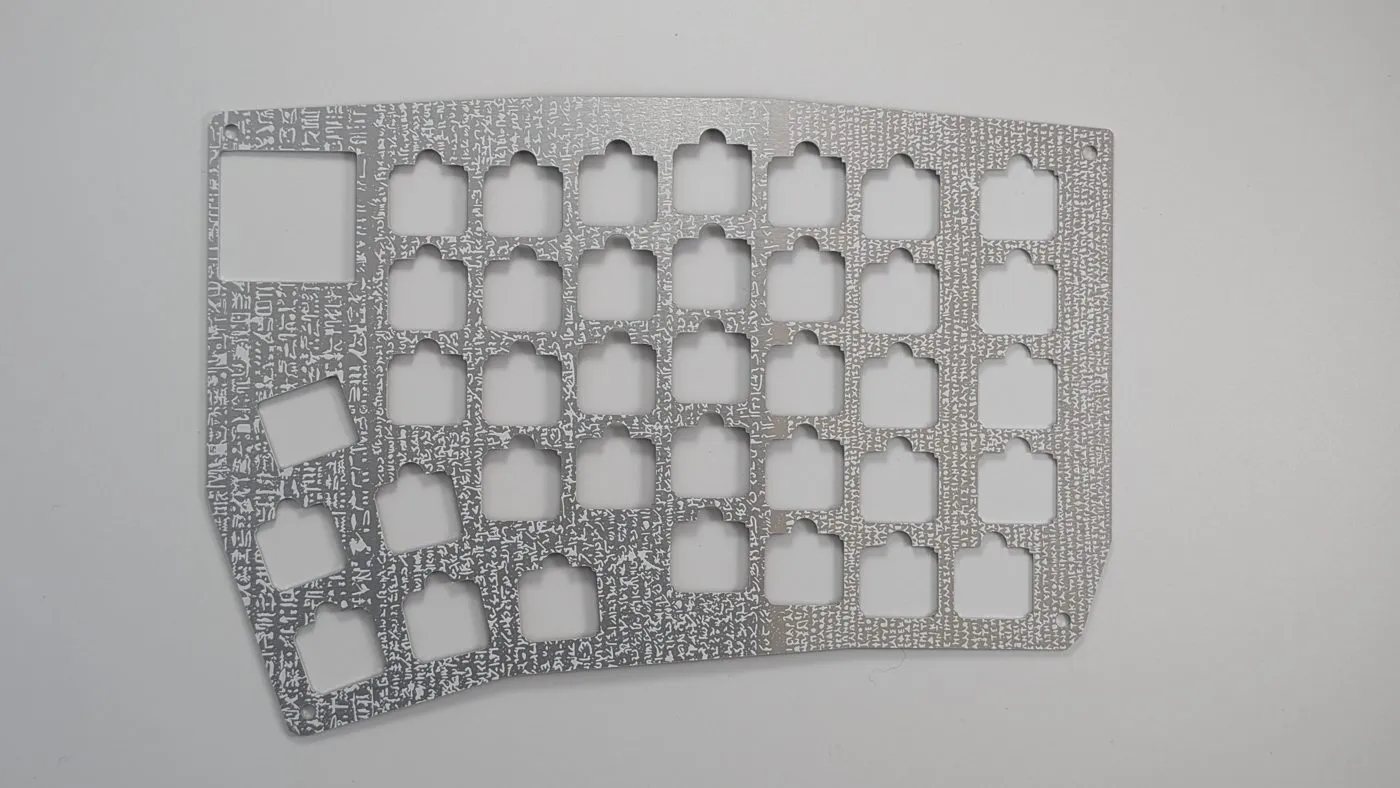
Aluminum plates
Section titled “Aluminum plates”The key plates are also ordered as PCBs — specify 1.2mm aluminum when ordering:
| File | Description |
|---|---|
poly_kybd/Gerber/Plate/gerber-left-side-v3-17.11.2023.zip |
Left aluminum plate |
poly_kybd/Gerber/Plate/gerber-right-side-v3-17.11.2023.zip |
Right aluminum plate |
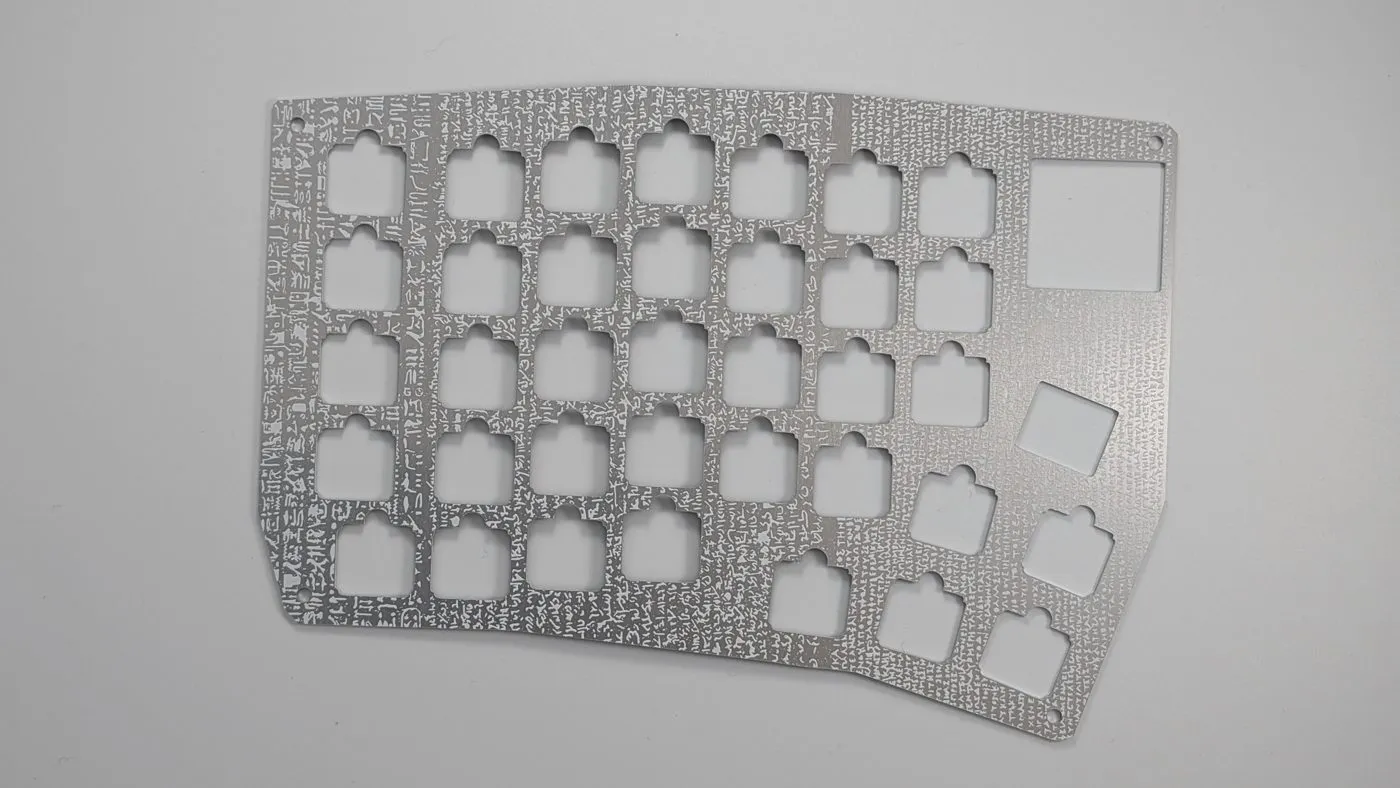
The two plates are mirrored — one per half. Each switch cutout is square; the larger opening takes the expansion slot part:
Ordering from JLCPCB
Section titled “Ordering from JLCPCB”JLCPCB is one convenient option that supports both PCB assembly and aluminum PCB orders.
- Upload the gerber ZIP for the PCB
- Select 4-layer, 1.6mm thickness
- Enable PCB Assembly and upload the BOM and CPL (pick & place) files from the Gerber folder
- If the fab offers a parts orientation verification step, use it — part orientation in KiCad may differ from the fab’s default
KiCad source files
Section titled “KiCad source files”The full KiCad 7 projects are in the repo if you want to make your own modifications:
poly_kybd/poly_kybd_split72_right.kicad_pro— Right PCBpoly_kybd/poly_kybd_split72_left.kicad_pro— Left PCBpoly_kybd/poly_kybd_split72_plate_right.kicad_pro— Right platepoly_kybd/poly_kybd_split72_plate_left.kicad_pro— Left plate
See PCB & Case Modification for more on working with the KiCad sources, and Electronics & Schematics for an annotated tour of the board.