

Glyph Scripts
A glyph script is a purely cosmetic override that redraws the letter and digit legends on the keycaps in an alternative script, while leaving everything else — app overlays, the language layer, shortcut hints — exactly as it was. It changes the look of the keycaps without changing what the keys actually type.
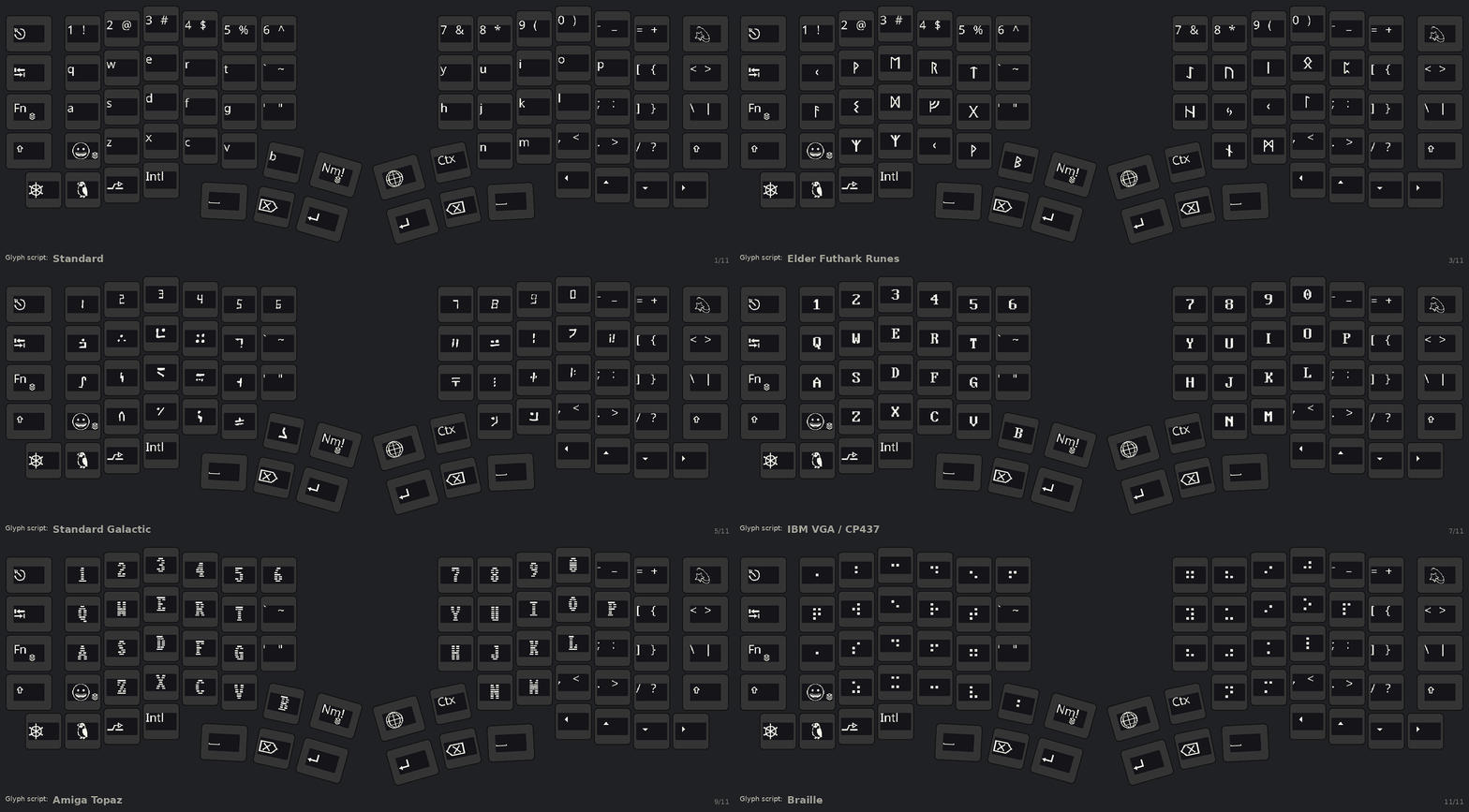
Available scripts
Section titled “Available scripts”| Script | Notes |
|---|---|
| Standard | Normal legends (the default — glyph script off). |
| Tengwar | Elvish-style feanorian script. Caseless. |
| Runes | Elder Futhark runic. |
| Aurebesh | Blocky sci-fi alphabet. |
| Standard Galactic | The “commander” alien alphabet. |
| Cirth | Angerthas-style runes. |
| IBM VGA | CP437 / DOS text-mode look. |
| Commodore 64 (screen) | The C64’s built-in screen font, as it appeared on the monitor. |
| Amiga | Workbench / Topaz look. |
| APL | The APL symbol set. |
| Braille | Braille cell patterns. |
| Commodore 64 (keycap) | The narrow capitals printed on the C64’s own keys. Each letter key also shows its two PETSCII graphics below the letter, as on the front of a real C64 key: Commodore + key on the left, Shift + key on the right. They are drawn only; the key still types the letter. |
Selecting a script
Section titled “Selecting a script”- On the keyboard — a key on the settings layer, under More…. Like the idle-style key
it names the active value —
SCRIPT:over the current script — and each tap moves to the next one, and after the last one it returns to Standard. - Tray menu — right-click the PolyKybdHost tray icon → Keycap Script → pick a script (or Standard to turn it off).
- Command line —
polyctl glyph-script tengwar(orstandard,runes,c64,c64keys,braille, …).
Your choice is saved on the keyboard and persists across reboots.
Requirements
Section titled “Requirements”Glyph scripts are drawn from a fantasy font-pack bundle that PolyKybdHost flashes to the
keyboard automatically the first time it connects (see Font Packs & Resources).
Until that bundle is present the override falls back to the normal Latin legends, so nothing
breaks if it hasn’t been flashed yet.
To make the normal legends bigger instead of changing their style, use a separate setting: see Legend Size.