

PCB & Case Modification
Tools required
Section titled “Tools required”- KiCad 7 — the PCB design is a KiCad 7 project
- A PCB manufacturer account (JLCPCB, PCBWay, etc.)
KiCad project files
Section titled “KiCad project files”All design files are in the PolyKybd hardware repo:
| File | Description |
|---|---|
poly_kybd/poly_kybd_split72_right.kicad_pro |
Right PCB schematic + layout |
poly_kybd/poly_kybd_split72_left.kicad_pro |
Left PCB schematic + layout |
poly_kybd/poly_kybd_split72_plate_right.kicad_pro |
Right aluminum plate |
poly_kybd/poly_kybd_split72_plate_left.kicad_pro |
Left aluminum plate |
The backup/ directory contains older revisions for reference.
Exporting gerbers for manufacture
Section titled “Exporting gerbers for manufacture”After making changes in KiCad:
- Open the PCB editor
- File → Plot — select Gerber format, output to a new folder
- File → Fabrication Outputs → Drill Files — generate drill files into the same folder
- Zip the folder contents and upload to your PCB manufacturer
Exporting BOM and pick-and-place
Section titled “Exporting BOM and pick-and-place”Python scripts in the root of the repo assist with JLCPCB-format exports:
python bom_csv_jlcpcb.py # generate BOMpython kicad_csv_pos_to_jlcpcb_cpl_csv.py # generate CPL (pick and place)3D case modification
Section titled “3D case modification”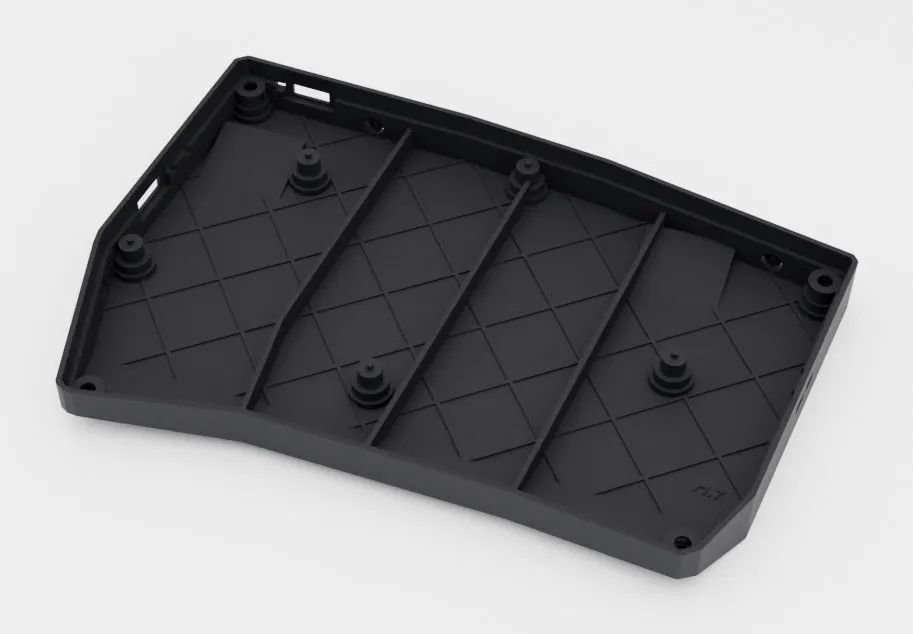
All mechanical sources are in parts/, one folder per part group (parts/case/, parts/cirque_insert/, parts/keycap_stem/, …), with every exported mesh in the matching parts/export/<group>/. parts/README.md indexes which file to print for each part. Some sources are OpenSCAD .scad files which can be modified parametrically:
parts/cirque_insert/cirque35_insert.scad— 35mm trackpad insert, for the recommended pad (ready STL:parts/export/cirque_insert/cirque35_insert_r3_4p.stl, a four-up plate)parts/cirque_insert/cirque23_slim_insert.scad— slim Cirque 23mm trackpad insert (ready STL:parts/export/cirque_insert/cirque23_slim_insert_r8.stl)parts/cirque_insert/cirque23_insert.scad— high Cirque 23mm trackpad insert (ready STL:parts/export/cirque_insert/cirque23_insert_high_r1.stl)
Render to STL with OpenSCAD: Design → Render, then File → Export → Export as STL.
Three part groups have a build script instead. Use it rather than exporting by hand:
parts/keycap_stem/build_stems.sh # every stem plate in keycap_stem/variants/parts/diffuser/build_frame.sh # regenerate the LED diffuser frame from the PCB, then verifyparts/build_parts.sh # the simple parts whose .scad top level IS the plateEach script keeps the committed mesh when only facet order or floating-point rounding changed. A re-run with no geometry change
prints unchanged, so a real geometry change shows up in git status.